
Working Remotely from a Rental in the Southeast
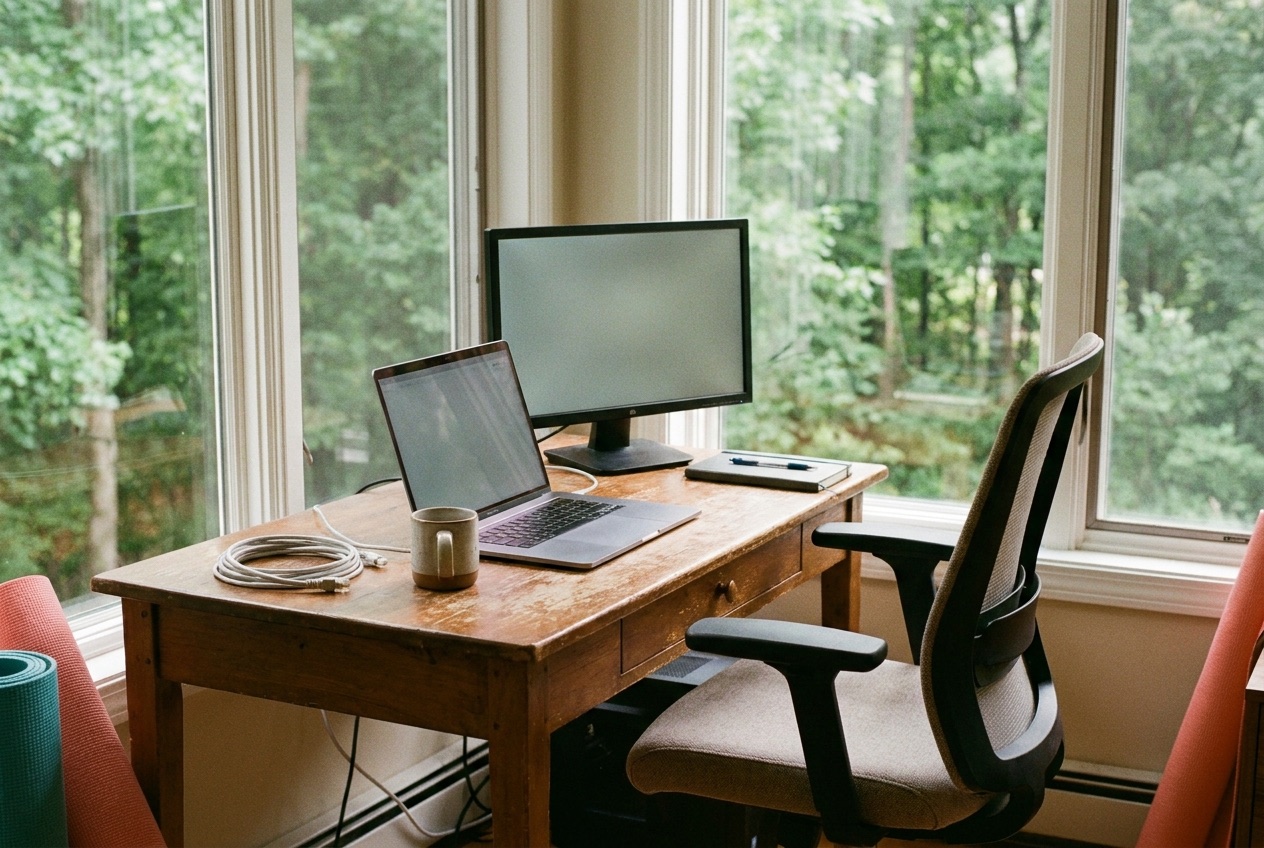
Good remote work travel starts before you book. Verify the wifi with an actual speed test screenshot, confirm there's a real desk and a real chair, and have a cell backup for when the internet drops. Do those three things and a rental in the Southeast becomes a genuinely productive base for a month. Skip them and you've booked a nice-looking room that quietly wrecks your week.
What to verify before you book
The single most important question for a work stay is the one most listings answer vaguely. How fast is the internet, really. Wifi in a listing photo means nothing. Ask the host for a screenshot of a recent speed test run inside the unit, showing download, upload, and ping.
Upload speed is the number people forget, and it's the one that matters for video calls, because your camera feed is upload, not download. If a host can't or won't produce a real number, treat that as an answer. We host remote workers and we keep a current speed test ready precisely because the good ones always ask for it, and the ones who don't ask are the ones who end up disappointed.
The second thing to nail down is the workstation. A kitchen counter and a barstool will destroy your back over a month, and a bed is not a desk no matter what the photos suggest. Ask directly whether there's a proper desk and a supportive chair, and ask for a photo of both.
A dining chair at a dining table looks fine for two days and turns into a physical therapy appointment by week three. The third piece is a backup for when the wifi goes down, because it will go down at least once. Confirm you have solid cell coverage at the property so you can hotspot from your phone, and check that your plan includes enough tethering data to survive an outage during a workday.
None of this is difficult to check, and all of it gets skipped by people who book a work stay the way they'd book a weekend getaway. A vacation forgives a slow connection and a bad chair. A month of remote work travel does not. The half hour you spend interrogating a listing before you commit is the cheapest insurance you'll buy for the whole trip, and it filters out the hosts who have never actually hosted someone working full days from their place.
Why remote work travel points toward smaller cities near Atlanta
If your work month can happen anywhere with good internet, paying big-city rates for the privilege of a downtown zip code is money set on fire. The smaller cities and towns around Atlanta give you the same fast fiber, more square footage, and quieter streets for a fraction of what the same stay costs inside a major metro. Out along the I-20 corridor west of the city, in Douglasville, Austell, and Lithia Springs, you get room to set up a real office and you're still a short drive from everything Atlanta offers when you actually want it.
The math is simple, and it's why we see so many work-stay bookings out here. You're not paying for a view of another building or for walkability you won't use during a work week when you're heads-down anyway. You're paying for a comfortable base with fast internet and space to think, and you keep the difference. When you do want the city, Hartsfield-Jackson and downtown are close enough for an evening out or a weekend, and MARTA park-and-ride lots let you leave the car and skip the parking headache. You get the access without the premium, which is exactly the trade a remote worker should want.
There's a quieter benefit too. A residential setting outside the core tends to be, well, quiet, and quiet is a work asset. No sirens under your window at 2am, no construction crew starting at seven, no thin hotel wall with a stag party behind it. For focused work, the boring suburb beats the exciting downtown most days of the week, and it costs less to boot. People chasing a work-from-anywhere lifestyle often default to the flashiest city they can find and then wonder why they can't concentrate.
The two-desk couple problem
Here's the one that catches couples off guard. Two people both working remotely need two workspaces, not one desk and a hope that you'll take turns. If you're both on calls, you cannot share a room, because your meeting is the other person's background noise and their meeting is yours. We've watched this go sideways more than once. A couple books a lovely one-bedroom, both have a ten o'clock call, and suddenly one of them is working from the car in the driveway with the engine running for the air conditioning.
The fix is to plan for it up front. Look for a place with a bedroom and a separate living area, or better, two rooms with doors, so each of you has somewhere to close off and take a call. Ask the host whether there's a second work-friendly spot beyond the main desk, and whether the walls between rooms are solid or the kind you can hear a conversation through. If you're a working couple, this isn't a nice-to-have, it's the difference between a productive month and a tense one. Book for the reality of two simultaneous meetings, not the fantasy of politely alternating, because the fantasy dies on the first overlapping call.
It's also worth agreeing on who gets which room before you arrive, so you're not negotiating territory at 9:55 with a meeting starting. Whoever has the more call-heavy job takes the room with the door and the better connection. The other person gets the quieter deep-work spot.
Sort it once and it stops being a daily conversation. The couples who plan the two-desk problem in advance barely notice it. The ones who wing it end up passive-aggressively closing doors and stage-whispering apologies to each other's coworkers for a month.
The time-zone advantage for west-coast employers
If you work for a company on the West Coast while staying in the Southeast, the three-hour gap is quietly a gift. You're on Eastern time, which means your morning is wide open before your colleagues log on. You can knock out focused work from six or seven in the morning with nobody messaging you, then your team comes online around your lunch and you shift into meetings and collaboration for the afternoon. Your deep work and your meeting blocks separate themselves naturally instead of colliding all day the way they do when you share a time zone with everyone.
It cuts the other way at the end of the day, and that's the part to manage. When your West Coast team is still going strong at what's late afternoon for them, it's early evening for you, and the temptation is to keep answering messages. Set a hard stop. The time-zone edge only pays off if you actually take the quiet morning and protect the early evening, rather than stretching your day to overlap fully with theirs and working an eleven-hour shift by accident. Used well, Eastern time from a West Coast job is one of the best-kept perks of working remotely from this part of the country, and it's a real reason to point your remote work travel toward the Southeast specifically.
Routines that keep a work trip from becoming a bad vacation
The failure mode of a workcation is that it becomes neither. You don't rest, because you're technically working, and you don't work well, because you're technically on a trip. The fix is boring and it works. Keep your normal start time.
Get dressed like it's a workday. Set the desk up once, properly, on day one, so you're not migrating around the house looking for a comfortable spot every morning. Treating the stay like a workplace that happens to be somewhere nice is the whole trick, and it's the thing that separates the people who come back glowing from the ones who come back frazzled.
Then save the place for after hours and weekends, and actually use it. The reward for a disciplined workday is the evening walk, the local restaurant, the day trip on Saturday to somewhere you couldn't reach from home. If you blur the two together, you get the worst of both, a working day constantly interrupted by the guilt that you should be out enjoying yourself, and a leisure day haunted by the laptop. We've hosted people who nailed this and left more rested than when they arrived, and we've hosted people who worked from bed with the TV on and wondered why the trip felt flat. The ones who kept a routine are the ones who booked again.
A couple of small habits make the difference bigger than they sound. End the workday by physically closing the laptop and putting it somewhere out of sight, so the space stops reading as an office the second you clock off. Get outside at least once during daylight, even for fifteen minutes, because the whole point of doing your remote work travel somewhere new is the somewhere new, and it's easy to spend a month indoors and realize you never actually saw the place. Little rituals like a real lunch away from the desk or a set end time do more for a month-long stay than any productivity app.
How should a host support a remote worker?
A host who actually supports remote work does a handful of concrete things, and you should ask about all of them. They provide fast, reliable internet and can prove it with a current speed test. They set up a real desk and a supportive chair, not a decorative writing table and a folding chair. They tell you plainly where cell coverage is strong so your hotspot backup is real. And they make sure the space stays quiet during working hours, or at least tell you honestly if there's a lawn crew every Tuesday morning that runs a leaf blower under the office window.
The questions to ask a host before a work month are different from the questions a vacationer asks, and you should ask them all. What are the real upload and download speeds, tested inside the unit. Is there a dedicated workspace, and can I see a photo of the desk and chair. What's the cell signal like, and which carrier works best here. Is there anything about the location, construction next door, thin walls, a dog that barks all afternoon, that would interrupt a call.
A host who answers those crisply is a host who has done this before. We ask ourselves those same questions when we set up a place for remote workers, because the guests who stay a month and get their work done are the ones who tell their coworkers where to book next, and that's worth far more to us than one good weekend.